Setting Up Policies
Getting your store’s policies in place early is one of those tasks that’s easy to overlook when you’re excited about launching, but it matters more than you’d think. Policies build trust with customers, protect you legally, and are required by payment processors like PayPal and Stripe.
The good news is Shopify handles most of the heavy lifting — it generates templates for all the core policies. Your job is to customise them to reflect how your store actually operates.
Where to Find Your Policies
Section titled “Where to Find Your Policies”Go to Settings → Policies in your Shopify admin. You’ll see fields for each of the main policy types.
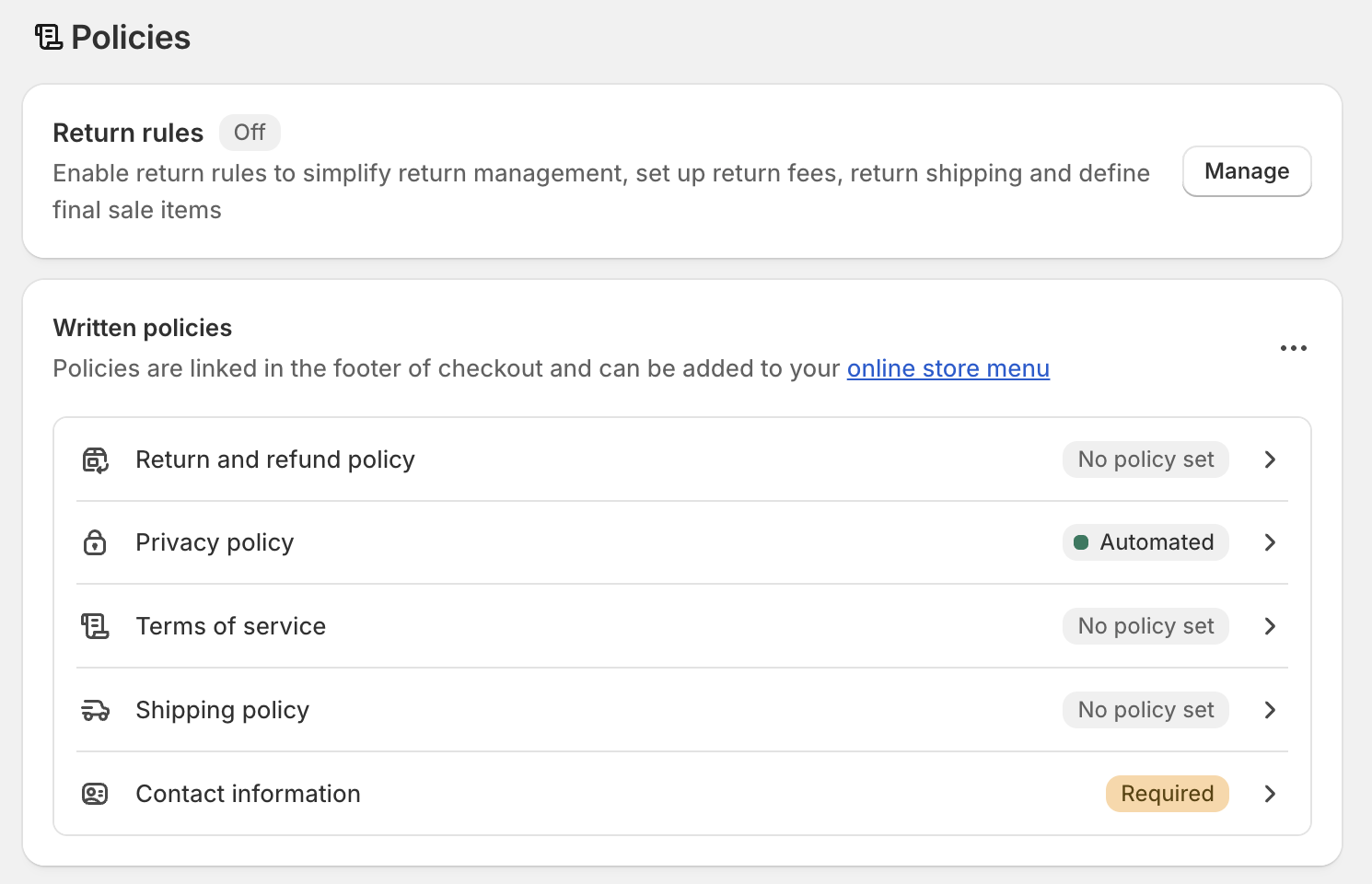
The Five Core Policies
Section titled “The Five Core Policies”1. Return & Refund Policy
Section titled “1. Return & Refund Policy”This is the policy customers look for most before making a purchase. Shopify’s template covers the basics, but you’ll want to edit it to reflect your actual process:
- How many days do customers have to request a return?
- Do items need to be unworn/unused, or in original packaging?
- Who pays for return shipping — you or the customer?
- Do you offer exchanges or store credit as an alternative to refunds?
Being specific here reduces customer service headaches later. Vague policies lead to disputes.
2. Privacy Policy
Section titled “2. Privacy Policy”Shopify auto-generates a privacy policy that covers GDPR and standard data collection practices. If you use any third-party apps — email marketing, analytics, retargeting ads — you should update the policy to mention them, as they may collect additional customer data.
Unless you have specific legal requirements, the Shopify template is a solid starting point that most stores can use with minor edits.
3. Terms of Service
Section titled “3. Terms of Service”Your Terms of Service cover the rules of engagement for your store: how orders are processed, what happens if a product is out of stock, your rights to cancel orders, and what customers can and can’t do on your site.
Again, Shopify provides a template. Review it and adjust anything that doesn’t match your business — particularly around cancellations, backorders, or digital products you sell (which have different rules to physical goods).
4. Shipping Policy
Section titled “4. Shipping Policy”Customers want to know when their order will arrive before they buy. A clear shipping policy sets expectations and reduces “where’s my order?” messages.
Cover:
- Which carriers you use
- Estimated delivery times (domestic and international if applicable)
- Whether you offer free shipping and at what threshold
- How you handle delays or lost parcels
5. Contact Information
Section titled “5. Contact Information”Simple but required in many regions. Provide at minimum an email address. If you have a physical address or phone number you’re comfortable sharing, include those too. This appears in your store footer and is referenced by the other policies.
Applying Policies to Your Store
Section titled “Applying Policies to Your Store”Once you’ve filled in your policies, Shopify automatically adds links to them in your store’s footer. You don’t need to manually add them to your navigation — they’ll appear as part of the default footer setup.
You can also link to specific policies in product pages, at checkout, or anywhere else you think customers might want reassurance.
- Fill in all five policy fields in Settings → Policies
- Customise the templates to match your actual process — don’t just accept the defaults
- Be specific on returns — vague policies cause disputes
- Policies appear in your store footer automatically once saved